
Fixing System Restore Virus Messages
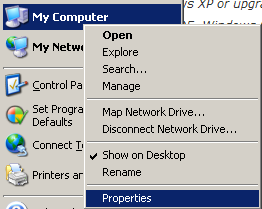
1. Right click on My Computer and click on Properties.
2. Click on System Restore.

3. Check the box that says Turn off System Restore.

4. Click Apply and Ok.

5. Once this box goes away please restart your computer.
6. When the computer comes back on we want to re-enable System Restore.
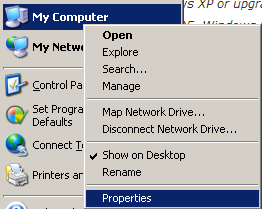
7. Right click on My Computer and click on Properties.
8. Click on System Restore.

9. Remove the check from the box that says Turn off System Restore.
10. Click Apply and Ok.
11. This should resolve your issue!